Free Online Tools for PDFs, Images, Text, and More
Free, easy-to-use online tools to help you work smarter. Effortlessly merge, split, and convert PDFs, process images, create QR codes, and much more—all in one place.
Try them out now and make your tasks easier!

PDF Tools
Free PDF Tools Online: Convert, Merge, Split & Create PDFs

Image Tools
Free Image Tools: Compress, Resize & Convert Photos Online

QR Code Tools
Free QR Code Generator & Reader | Create & Read QR Codes

Security Tools
Free Password Generator | Create Strong & Secure Passwords

Social Media Tools
Create engaging Social Media content with free online tools

Business Tools
Discover free business tools to boost productivity and efficiency.
Why Use These Free Online Tools?
Every tool on this website is built with one goal in mind: saving you time. Whether you are a student working on assignments, a professional handling business documents, or a freelancer managing clients — these tools eliminate the need for expensive software subscriptions and complicated desktop applications.
Everything runs in your browser. No downloads, no installations, no account creation. Open the tool, use it, and get your result. It is that simple.
Your files stay private. Unlike many online tools that upload your documents to remote servers, most tools on this site process your files locally in your browser. Your PDFs, images, and data never leave your device.
Always free. There are no premium tiers, no credit systems, and no hidden charges. Every tool listed here is completely free to use for personal and commercial purposes.
Works on every device. Whether you are on a Windows PC, a Mac, an Android phone, or an iPhone — these tools work the same way on every device with a modern browser.
Who Is This For?
Students — Convert lecture notes and research papers, compress images for assignments, generate strong passwords for university accounts, and create QR codes for presentations.
Professionals & Office Workers — Merge contracts and reports, split large PDFs, add page numbers to formal documents, and create professional invoices in seconds.
Freelancers & Small Business Owners — Create invoices with your branding, generate QR codes for your business card or menu, compress product photos for your website, and manage documents without paying for Adobe Acrobat.
Content Creators — Generate Instagram captions with hashtags, apply professional photo filters, and manage your social media content workflow more efficiently.
Latest Technical Guides & Tutorials
- How to Scan QR Codes from an Image (No Camera)
 Discover how to scan and decode QR codes directly from screenshots, photos, and saved images on your desktop or laptop without needing a smartphone camera. Features 100% private in-browser decoding with zero file uploads.
- How to Add Page Numbers to PDF Files for Free
 Learn how to insert professional page numbers into single or multiple PDF documents for free. Configure custom positions, fonts, Roman numerals, and selective page ranges directly in your browser with zero file uploads.
- How to Install Ubuntu Server on a Windows 11 VM for n8n (Step-by-Step Hyper-V & SSH Guide)
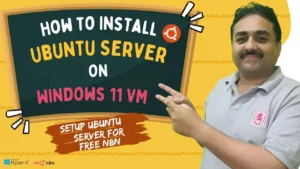 Learn how to install Ubuntu Server on a Windows 11 Hyper-V virtual machine for n8n. Step-by-step guide to bypassing mirror errors, setting up SSH, and running a free 24/7 local automation server.
- How to Combine All Google Sheets Tabs into One Master Sheet with n8n (Automated Workflow Guide)
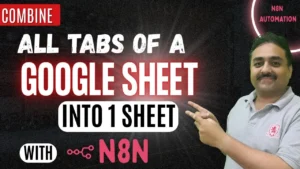 If you regularly work with Google Sheets for sales reporting, financial accounting, inventory tracking, or project management, you have likely … Read full article
- How to Password Protect Multiple PDF Files at Once (Free Python & Batch Guide)
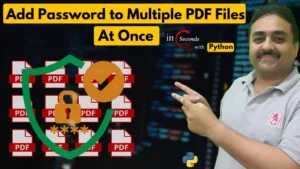 Whether you are handling confidential client agreements, employee pay slips, financial statements, or academic records, password-protecting sensitive documents is non-negotiable. … Read full article
About This Website
This website is run by Umair Alam, an IT professional with 17+ years of experience in systems administration, web development, and technology. All tools are built and maintained personally to ensure they are fast, reliable, and genuinely useful.
New tools are added regularly. If you have a suggestion for a tool you would like to see, use the Contact page to get in touch.